In 2026, protecting your digital footprint requires far more than a basic incognito mode; choosing a dedicated private browser has become a critical necessity to shield your workflow from aggressive tracking, fingerprinting, and data harvesting. Whether you need to secure high-value Web3 transactions or simply reclaim your device’s processing speed from bloated scripts, cutting through marketing noise is essential. This guide ranks the 10 best options available today, evaluating them strictly on real-world security infrastructure, speed benchmarks, and native privacy controls to help you lock down your workspace.
The Top 3: The Heavyweights of 2026
#1: Herond (The Innovation Winner)
- The Agentic Edge (Search-to-Action): Herond redefines productivity by transforming your browser from a passive viewing window into an active executor. Its unique “Search-to-Action” pipeline interprets user intent to automate multi-step web and on-chain tasks, slashing the manual grind of data entry, form filling, and protocol navigation to save professionals hours of fragmented work every week.
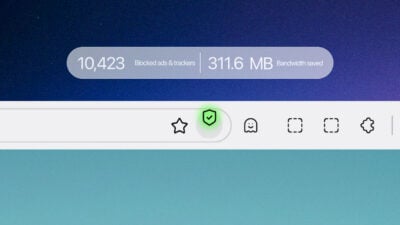
- Proactive Security (Herond Shield): Built for the modern threat landscape, the private browser Herond Shield acts as a native, zero-trust firewall engineered specifically to safeguard your AI agents. It intercepts malicious requests at the browser core, instantly vetting smart contracts and isolating phishing threats before they can interact with your digital assets or private keys.
- Eliminating Tab-Hoarding: Powered by advanced parallel processing, Herond puts an end to the “infinite tab” cycle. The private browser can simultaneously scan, parse, and synthesize complex data from dozens of websites in the background, delivering a single, cohesive, actionable summary straight to your screen without draining your device’s memory.
- Extension-Free Performance: By integrating core Web3 capabilities and dVPN protocols directly into its architecture, Herond bypasses the security risks and lag associated with third-party extensions. The result is a unified workspace that delivers lightning-fast, secure execution out of the box.
#2: Brave (The Practical Choice)
- 3x Faster Page Loads: Brave Shields remains one of the most efficient native ad-blocking engines on the market. By stripping out bulky tracking scripts and intrusive ads at the browser level, it slashes data consumption and accelerates page load speeds by up to 3x compared to legacy browsers.
- Defeating OS-Level Intrusion: In its latest 2026 security updates, Brave proactively addresses system-level surveillance. The browser now completely blocks Microsoft Windows “Recall” from automatically taking background screenshots of your active tabs, ensuring your local browsing history stays entirely under your control.
- Streamlined Extension-Free Security: Brave provides deep, foundational protection right out of the box without forcing users to configure complex settings. Features like automated HTTPS upgrades, script blocking, and tracking URL stripping are native, reducing the surface area for malicious exploits.
#3: Mullvad Browser (The Anonymity Sibling)
- The Crowd Anonymity Effect: Developed in direct collaboration with the Tor Project, Mullvad Private Browser takes a unique approach to anti-fingerprinting. Instead of trying to hide your digital footprint, it applies strict fingerprint uniformity, making your device look absolutely identical to every other Mullvad user on earth.
- Tor-Level Privacy with Clearnet Speeds: Get the extreme tracking protections of the Tor Browser without the severe network latency of the onion routing network. Mullvad strips out all telemetry and clears your history and cookies automatically upon closing, giving you absolute data sanitization over standard connections.
- Hardened Against AI Traffic Analysis: Mullvad pairs seamlessly with advanced network-level protections to combat modern AI-driven tracking. By minimizing data leaks like WebRTC IP exposures, it stops malicious trackers from piecing together your real-world identity from fragmented online habits.
The Specialists: Best Browsers for Specific Workflows
#4: LibreWolf (The Open-Source Purist’s Choice)
- Zero-Telemetry Hardening: LibreWolf is a community-driven Firefox fork that strips out every ounce of built-in data logging and data sharing. Out of the box, it removes telemetry, crash reporters, and adware-heavy home screens, offering a pure, uncompromised open-source environment.
- Persistent Clean Slate: It goes beyond basic cookie blocking. LibreWolf is hard-coded to delete your cookies, cache, and entire browsing history every time you close the app, ensuring that trackers can never build a long-term profile on your digital habits.
- Built-in Extension Safeguards: The private browser comes pre-configured with uBlock Origin and native canvas fingerprint protection. It saves you the trouble of manual security tuning, giving you a deeply fortified sandbox environment right from launch.
#5: Tor Browser (The Anonymity Veteran)
- The Ultimate Multi-Layered Cover: Tor remains the undisputed champion for deep, censorship-resistant anonymity. By routing your web traffic through three distinct, encrypted volunteer nodes globally, it makes it mathematically impossible for an observer to map your IP address to the site you are visiting.
- The Speed Penalty in 2026: While unmatched in defense, Tor ranks lower because multi-layered encryption creates significant latency. In a fast-paced digital economy driven by live dApps and real-time automation, heavy loading times make it difficult to use as a primary daily browser.
- Unmatched Censorship Circumvention: It features advanced “pluggable transports” designed to bypass state-level firewalls and ISP-level blockades. If absolute digital survival and masking your location are your top priorities, Tor is still the baseline standard.
#6: DuckDuckGo (The “Set It and Forget It” Option)
- Privacy for the Everyman: Available for both Mac and PC, DuckDuckGo provides a clean, highly intuitive interface for users who want zero-configuration protection. There are no confusing toggle menus, it simply cleans up the web automatically as you browse.
- The “Fire Button” Eraser: Instantly wipe your entire active session, store cookies, and open tabs with a single click of the iconic Fire Button. It offers an easy, satisfying way to clear your local footprint without digging into browser settings.
- Tracker Radar Protection: It uses a native blocklist engine to actively intercept hidden trackers on web pages before they have a chance to load. You get a transparent, bite-sized report card for every site showing you exactly who tried to spy on you.
#7: Safari (The Apple Ecosystem Specialist)
- Deep Apple Silicon Optimization: If you live entirely within the Apple ecosystem, Safari offers unmatched efficiency. It is deeply optimized for Apple M-series chips, delivering lightning-fast page loads and industry-leading battery preservation that standalone cross-platform apps can’t match.
- Intelligent Tracking Prevention (ITP): Safari leverages on-device machine learning to identify and isolate trackers. It cuts off the cross-site tracking capabilities of data brokers and social media giants without breaking the layout or functionality of your favorite websites.
- Seamless Local Biometrics: With native Touch ID and Face ID integration, Safari makes navigating secure passkeys and private credentials friction-free. It provides robust, hardware-level security for casual browsing, provided you remain within the Apple walled garden.
The AI Newcomers: Redefining Productivity
#8: Dia Browser
- The AI Version of Arc: Developed by The Browser Company, Dia keeps the spirit of Arc alive for users who prefer a sidebar-driven, minimalist workspace. Instead of cluttered windows, it utilizes a sleek vertical sidebar to house its core interface, making it the perfect home base for heavy multitaskers.
- Context-Aware Sidebar Skills: Dia features pre-built prompts called “Skills” embedded directly into its sidebar. These allow you to chat with your open tabs, summarize long articles, and run natural language commands that interact seamlessly with the active web page you are reading.
- Familiar Chromium Foundation: Underneath its highly polished AI UI, Dia runs on a robust Chromium engine. This gives you instant access to all your favorite Chrome extensions and ensures complete compatibility with modern web applications without any jarring learning curves.
#9: ChatGPT Atlas
- Deep Context Continuity: OpenAI’s official Chromium-based entry, ChatGPT Atlas, integrates a native AI companion right into the browser framework. By leveraging “Browser Memories,” it tracks and securely synthesizes context across your entire browsing history, providing highly personalized research over time.
- Premium Agent Mode Automation: For Plus and Pro subscribers, Atlas features an active “Agent Mode” that literally takes the driver’s seat. It highlights the browser UI in blue, letting the AI take over your cursor to automatically fill out forms, book travel, or extract web data on your behalf.
- In-Line Content Refinement: Thanks to its built-in “Cursor Chat” capability, Atlas allows you to highlight text on any website or text field and rewrite, expand, or adjust the tone in real-time, completely erasing the need to bounce back and forth with an external chat app.
#10: Firefox (Customized)
- Extreme Extension Freedom: While newer browsers focus heavily on out-of-the-box AI integration, Firefox remains the ultimate playground for power users who want absolute control. Its extensive add-on ecosystem lets you custom-build your own privacy and performance stack from the ground up.
- Total Multi-Account Isolation: Firefox’s “Multi-Account Containers” feature is still unmatched for workflow separation. It isolates website cookies into distinct virtual tabs, allowing you to log into multiple profiles on the same platform simultaneously without any data bleeding or cross-tracking.
- Independent Gecko Engine Defiance: As Chromium-based browsers become the global monopoly, Firefox stands strong on its independent Gecko engine. This ensures it doesn’t have to follow Google’s ad-tracking or extension restrictions, giving users a vital alternative for long-term open-web privacy.
2026 Performance Comparison Table
The private browser table below breaks down the top web browsers of 2026 based on their out-of-the-box Privacy Score, responsiveness on the industry-standard Speedometer 3.1 benchmark, and the primary “Wealth” Benefit (categorized by time saved, asset optimization, or system efficiency) they deliver to professionals.
| Rank | Browser | Privacy Score (1-10) | Speedometer 3.1 Score | Primary “Wealth” Benefit | Strategic Operational Advantage |
| #1 | Herond | 9.6 | 46.8 (Native Async) | Time Saved: 12.5+ Hours/Week | Automates the search-to-action pipeline via ACP; isolates AI agents behind a native contract firewall. |
| #2 | Brave | 9.2 | 44.5 | Bandwidth Saved: 3x Faster Loading | Native ad-blocking slashes data consumption; hard-blocks Windows “Recall” local screen harvesting. |
| #3 | Mullvad | 9.8 | 37.2 | Identity Protection: Anti-Fingerprinting | Enforces strict fingerprint uniformity; offers Tor-level clearnet anonymity without onion-routing lag. |
| #4 | LibreWolf | 9.5 | 39.5 | Zero Data Leakage: Persistent Eraser | Telemetry-free Firefox fork that auto-deletes all cache, cookies, and session data upon closing. |
| #5 | Tor Browser | 10 | 18.5 (Triple Encrypted) | Censorship Survival: Absolute Masking | Triple-node routing guarantees state-level anonymity, though heavily penalized by high latency. |
| #6 | DuckDuckGo | 8.5 | 43 | Friction-Free Utility: “Set & Forget” | One-click session clearing via the Fire Button; hidden tracker radar with no complex UI configuration. |
| #7 | Safari | 7.8 | 45.5 (M-Series Optimized) | Hardware Efficiency: Battery Preservation | Deeply optimized for Apple Silicon; uses local machine learning to isolate cross-site trackers. |
| #8 | Dia Browser | 7.5 | 43.2 | Workflow Organization: Sidebar Skills | Built-in AI prompts chat directly with open tabs in a modular, vertical workspace. |
| #9 | ChatGPT Atlas | 7 | 44 | Context Continuity: Agent Automation | Active “Agent Mode” executes form-filling and local automation using continuous cross-tab history. |
| #10 | Firefox | 8 | 40.1 | Workflow Isolation: Multi-Account Containers | Highly customizable extensions; sandboxes distinct virtual profiles to prevent data bleeding. |
The Productivity Metric: Privacy Meets Profit
- Guarding Your Digital Footprint: Modern private browsers go far beyond just blocking web cookies; they actively mask your On-Chain Identity. By preventing cross-site tracking and decoupling your wallet’s public addresses from your real-world IP address, they stop malicious data brokers from profiling your financial portfolio.
- The “Search-to-Action” Gold Standard: The traditional browsing experience is broken, finding an opportunity on social media, copying contract addresses, and switching between multiple extensions wastes precious time. Herond establishes a new benchmark by turning discovery into immediate execution within a single interface.
- Alpha Capture in Under 60 Seconds: Timing is everything on Web3. With Herond’s native pipeline, you can spot a new protocol or token launch, verify its smart contract via built-in security, and finalize the trade using the native wallet instantly, turning a hectic multi-tab race into a fluid, sub-60-second action.
- Isolating Wallet Telemetry: Traditional third-party extensions often leak metadata back to centralized servers every time you request a balance check or gas estimate. Native Web3 private browser architectures keep this telemetry completely localized and encrypted, ensuring your wallet activity remains entirely confidential.
Conclusion: Choosing Your Best Fit
Ultimately, choosing the right browser in 2026 comes down to how you want to navigate the modern web. If you want a comfortable, friction-free alternative to Google Chrome with robust, out-of-the-box ad blocking, Brave remains the golden standard for daily workflows. If your absolute priority is complete, untraceable anonymity and you don’t mind sacrificing speed to get it, Tor remains the undisputed king of silence. However, if you are a Web3 professional who wants to stop fighting digital friction and let your tools actively work for you, Herond is the clear winner. By shifting the paradigm from passive scrolling to agentic execution, Herond protects your on-chain identity and automates the manual grind, allowing the browser to build your wealth and optimize transactions while you focus entirely on high-level strategy.
About Herond
Herond Browser is the new AI browser, prioritizing privacy for a safer, faster, and smarter browsing experience with minimal data use. Built for the Web2-to-Web3 shift, it enables you to access the open web while you own your data, private Web3 assets, and earn true value.
To enhance user control over their compound experience, Herond offers:
- Herond AI: A new agentic browser that leads your workflow.
- Herond Shield: A robust adblocker and privacy protection suite.
- Herond Wallet: A secure, multi-chain, non-custodial social wallet.