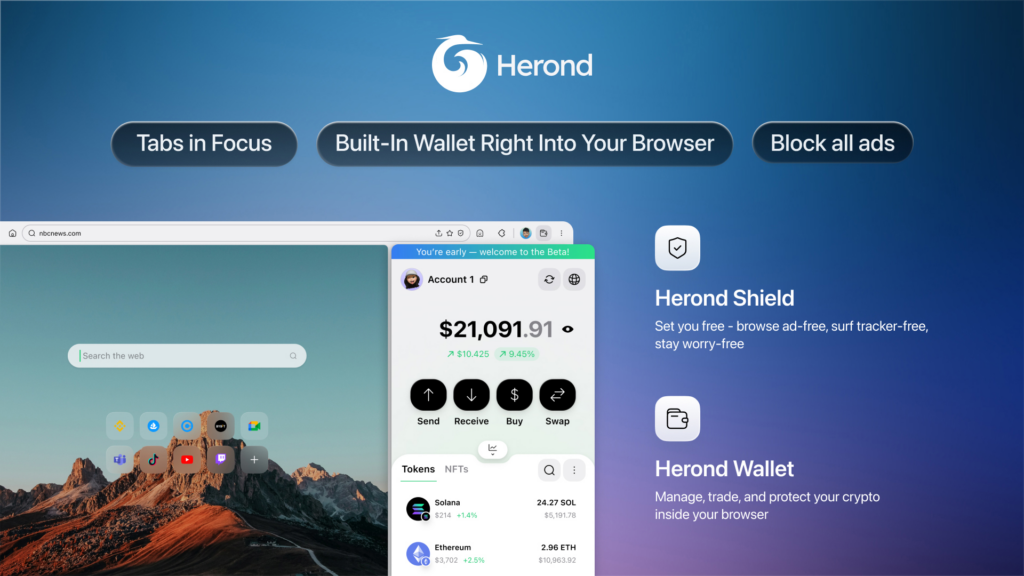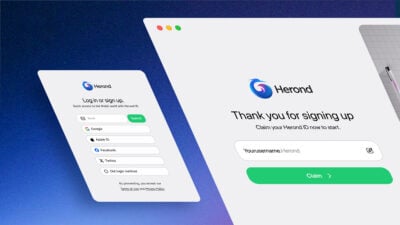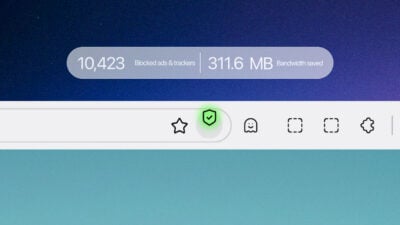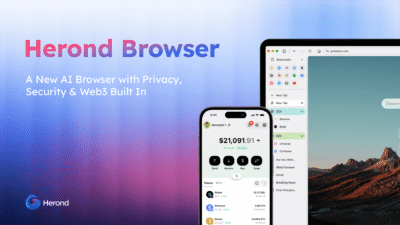
Herond Browser download offers the perfect solution, providing a private browser experience that includes a high-performance browser with built-in ad blocker to reclaim your battery life and data. For those who want the best of both worlds, you can still easily learn how to switch from Chrome to private browser. This ensures you keep the search results you trust while enjoying a level of security that respects your digital footprint.
Why millions are leaving Chrome in 2026
The Ad-Block War: Manifest V3 and Restricted Freedom
The decision to switch from Chrome to private browser alternatives has become a necessity to restore the unrestricted content-blocking power they previously enjoyed.
AI Data Harvesting: The Cost of “Improving” Models
Many users are uncomfortable with their sensitive digital footprints serving as raw material for AI development, leading to a search for a private browser that offers a “Zero-Knowledge” approach to personal data. You ensure that your private information remains yours, rather than becoming a permanent part of an AI’s memory.
Performance Bloat: The Search for a Leaner Engine
For those on devices where memory efficiency is as important as raw speed, finding the best privacy browser often means finding one that has trimmed the fat of modern web engines. A Herond Browser download provides a more streamlined Chromium-based experience that optimizes system resources, proving that you don’t need to sacrifice your phone’s performance or battery life just to stay connected.
The Privacy “Inevitable”: Reclaiming Digital Safety
A true private browser must now include proactive defenses, such as a high-performance browser with built-in ad blocker that intercepts threats at the engine level before they even load.
How to import bookmarks and passwords in 2 minutes
The “One-Click” Method (Fastest)
Most users can migrate everything instantly during the initial setup of the Herond Browser download.
- Launch Herond: Open your newly installed Herond Browser.
- Access Settings: Click the three-line menu (≡) in the top right corner and select Settings.
- Import Data: Under the Profiles section, look for Import browser data.
- Choose Source: Select Google Chrome from the dropdown menu.
- Select Items: Ensure Favorites/Bookmarks and Saved Passwords are checked, then click Import.
The “Old-School” Manual Method (Most Secure)
If you prefer to handle your data personally or are moving between different devices, follow these steps:
Step 1: Export from Chrome
- Bookmarks: Go to
chrome://bookmarks/, click the three dots in the top right, and select Export Bookmarks to save an.htmlfile. - Passwords: Go to
chrome://password-manager/settings, find Export passwords, and download the.csvfile.
Step 2: Import to Herond
- Bookmarks: In Herond, go to Settings > Bookmarks > Import Bookmarks and Settings. Select Bookmarks HTML File and upload your file.
- Passwords: In Herond Settings, search for Password Manager, click Settings, and select Import Passwords to upload your
.csvfile.
Why this is the “No-Friction” Move
Herond is the best privacy browser built on Chromium. Your imported passwords will autofill exactly as they did before, and your bookmark bar will remain organized. You get to keep your workflow while gaining a browser with built-in ad blocker that protects your data.
5 things Herond does that Chrome will never do
Agentic AI Actions: Browsing Beyond Conversation
Herond AI differentiates itself by performing complex tasks natively, such as summarizing real-time DeFi yields or booking digital services without you ever leaving your tab.
Native IP Protection: Privacy Without the VPN Subscription
This built-in security layer eliminates the need for a separate, paid VPN service, reinforcing its status as the best privacy browser for mobile users. Even with this high-level anonymity, the interface remains flexible, allowing you to learn how to make Google my default browser if you still prefer their search results while staying hidden behind a secure proxy.
Keyless Web3 Wallet: Seamless and Secure Digital Ownership
This native integration makes it a top-tier private browser for crypto enthusiasts who demand both security and ease of use. It’s a compelling reason to switch from Chrome to private browser ecosystems. As you can manage your assets and browse the web within a single, unified, and highly secure environment.
Zero-Extension Ad Blocking: Bypassing Corporate Restrictions
It is a browser with built-in ad blocker, it bypasses the limitations imposed on traditional extensions, ensuring that banners, trackers, and video ads are neutralized before they can even consume your data. This architecture not only makes it a faster private browser but also a more efficient one, significantly reducing the energy drain on your battery by preventing the CPU from processing thousands of useless requests every hour.
Local Web Speech: Keeping Your Voice Your Own
This ensures that big tech companies never hear your private conversations or voice recordings, making it arguably the safest and best privacy browser for voice-active users. When you perform a Herond Browser download, you are choosing a platform that prioritizes on-device processing, allowing you to enjoy the convenience of a modern private browser without the fear of being overheard.
Set Herond as default on iOS, Android and Desktop
Windows/Mac: Navigate to Settings -> Default Browser and click “Make Default.”
Android: Settings -> Apps -> Default Apps -> Browser App -> Select Herond.
iOS: Settings -> Herond -> Default Browser App -> Select Herond.
Pro-Tip: How to use Herond’s “Open in App” feature to automatically handle Web3 dApp links.
What you lose by leaving Chrome (and why it doesn’t matter)
The Google Ecosystem: What You “Lose” During the Move
Once you experience a truly private browser, you quickly realize that these “conveniences” were often just tethers designed to keep you within a tracked environment, and the transition is far less disruptive than it initially seems.
Privacy Gains: Why the Trade-Off is Worth It
A Herond Browser download provides a fresh start where your browsing habits, location data, and search history are no longer the product being sold. Reclaiming your privacy provides a peace of mind that no “Save to Drive” button can match, transforming your phone from a tracking device into a secure tool that finally prioritizes your safety over corporate data collection.

Better Alternatives: Herond’s Superior Native Suite
The built-in, non-custodial Web3 wallet and the “Shield” proxy system provide more utility than a standard private browser ever could. These tools are designed to work together seamlessly within a single Herond Browser download, proving that you can have a high-performance, feature-rich experience without needing to tether yourself to a monolithic data-harvesting ecosystem.
Extension Compatibility: Keeping the Best of Both Worlds
Those who still miss specific Google features, you can even look up how to make google my default browser within Herond’s settings, ensuring your search habits stay the same while your privacy stays protected.
Conclusion
By choosing the best privacy browser, you gain a faster, cleaner experience powered by a browser with built-in ad blocker that protects your hardware and your data simultaneously. Whether you switch from Chrome to private browser or simply want a more secure private browser, the transition is seamless, you can even keep your preferred search results by learning how to make google my default browser within your new, secure settings.
About Herond
Herond Browser is the new AI browser, prioritizing privacy for a safer, faster, and smarter browsing experience with minimal data use. Built for the Web2-to-Web3 shift, it enables you to access the open web while you own your data, private Web3 assets, and earn true value.
To enhance user control over their compound experience, Herond offers:
- Herond AI: A new agentic browser that leads your workflow.
- Herond Shield: A robust adblocker and privacy protection suite.
- Herond Wallet: A secure, multi-chain, non-custodial social wallet.